

Testing Router Vulnerabilities with RouterSploit

What is RouterSploit?
Testing routers for vulnerabilities is just as important as checking other devices on a network. If a router is vulnerable to an attack, its device settings and network configurations can be compromised.
RouterSploit is a tool with an interface similar to Metasploit and includes several modules like exploits, payloads, and scanners:
- Exploits – Used to exploit discovered vulnerabilities in a router to gain access and control.
- Payloads – The data injected into the target router to infect or overwrite the exploited system.
- Scanners – Used before running an exploit to scan the target router and check whether it’s susceptible to any known vulnerabilities in the RouterSploit database.
This tool was built with python and contains numerous exploits for a wide range of router models. It allows you to scan a target router for vulnerabilities before launching an exploit.
Installing RouterSploit in Kali Linux
1. As root, open a terminal and enter:
git clone https://github.com/threat9/routersploit.git
2. Next, install python3-pip:
apt-get install python3-pip
3. Change the directory to the routersploit folder:
cd routersploit
4. Inside the /routersploit directory is a requirements.txt file. Install the required packages with:
python3 -m pip install -r requirements.txt
5. Once everything is installed, run the RouterSploit tool (from within the /routersploit directory):
python3 rsf.py
You’ll see a command-line interface similar to msfconsole. At the time of this post, RouterSploit included 132 exploits and 4 scanners, as shown in the screenshot above.
Scanning the Router
To begin scanning the router to see if it is vulnerable to any of the 132 exploits, let’s first find the available scanners:
search scanners
Select the autopwn scanner:
use scanners/autopwn
View the available options:
show options
Next, set the target router’s IP address:
set target <ip address>
Note: To find the IP address of your gateway/router, run this command in a terminal:
netstat -nrThe IP address of the gateway will be displayed there:

Once the router’s IP address is set, start the scan:
run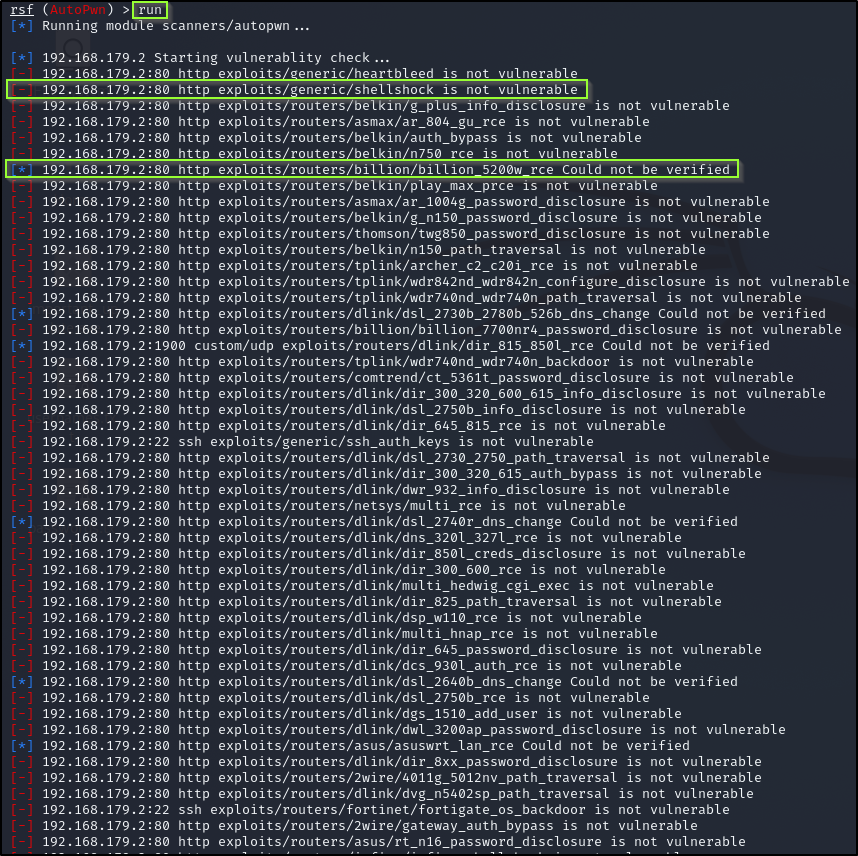
Reading the Scan Results
- [-] indicates the router is not vulnerable to this specific exploit.
- [*] implies the tool couldn’t determine whether the router is vulnerable (often because the exploit doesn’t apply to your router model).
- [+] indicates a security vulnerability for the router was found.
In my case, no vulnerabilities were found.


